CopyOTP
Copy a recent Gmail login code without opening the email. A lightweight, open-source Chrome extension by AlexWorks.
Currently in testing. Not yet published on the Chrome Web Store.
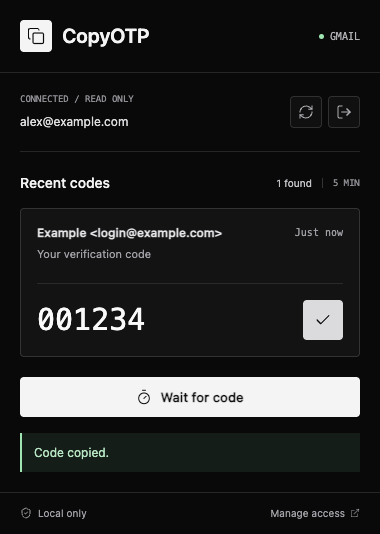
Your code, within reach
Connect Gmail using Google's OAuth flow, request a login code, and open CopyOTP. Select the matching sender and message, then copy the code. Refresh or wait for a new message while the popup remains open.
CopyOTP supports 4-8 digit numeric codes in English messages received within the last five minutes. It does not automatically fill or submit login forms. Always check the sender and the intended service.
Read-only. Processed on your device.
The Gmail permission allows mailbox reading, but CopyOTP limits its scans to recent messages. No email content, codes, or tokens are sent to an AlexWorks backend, analytics provider, or AI service. CopyOTP does not send, delete, modify, or mark messages as read.
Google's consent screen uses the shared AlexWorks identity. Removing that Google grant can affect other AlexWorks products using the same project.
Privacy policy · Source code and testing setup · Support
MIT licensed. Contributions are welcome. The screenshot above uses fictional data.